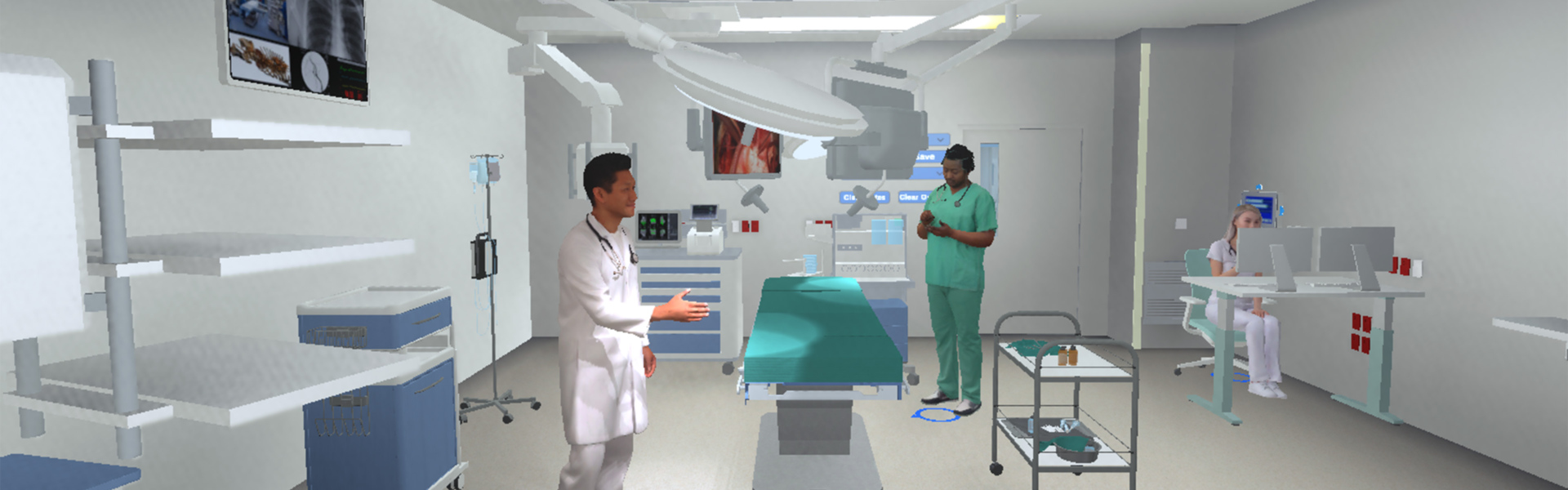


This second in a two-part series on mock-ups in healthcare design centers the Interactive Virtual Mock-Up tool. Read part one of the series here.
The interactive virtual mock-up is a cutting-edge virtual reality (VR) tool that enhances collaborative exploration and design refinement. Originally developed for an operating room for a confidential healthcare client, the tool helps to translate two dimensional drawings into a language end users can comprehend, enabling them to understand the spatial dynamics and operational scope of a space, leading to more informed design decisions.
The equipment setup consists of specialized VR headsets and handheld controllers. Users wear the headsets to immerse themselves in a 3D virtual environment that simulates the design of highly specialized or technical healthcare spaces. While in this virtual space, users manipulate virtual medical equipment controls and interact with the layout of the room. They can test the positioning and functionality of equipment, providing real-time feedback on the design. This hands-on experience allows both users and design teams to visualize and understand specific spatial dynamics and operational workflows in a way that traditional 2D drawings or physical mock-ups cannot easily achieve.
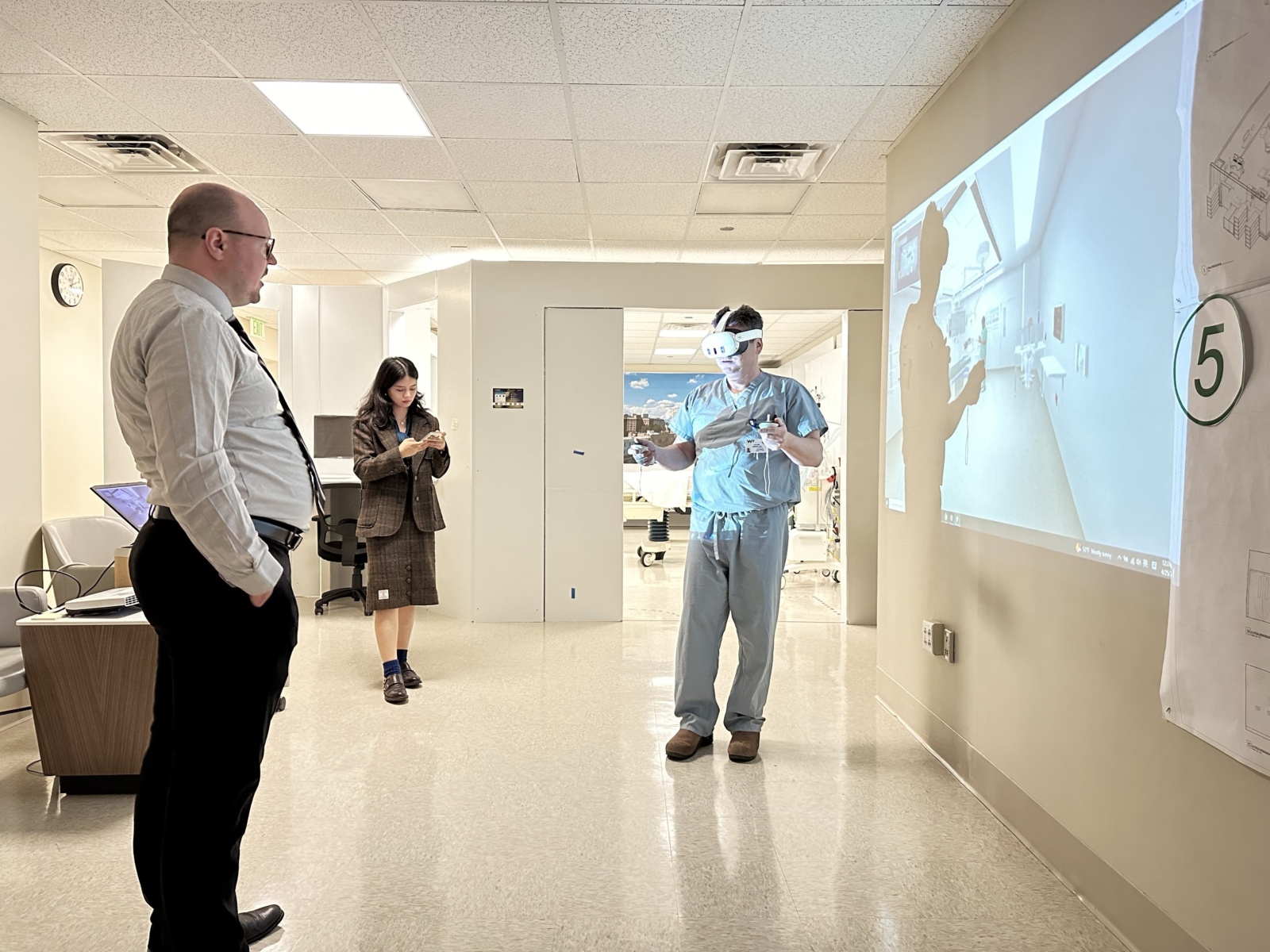
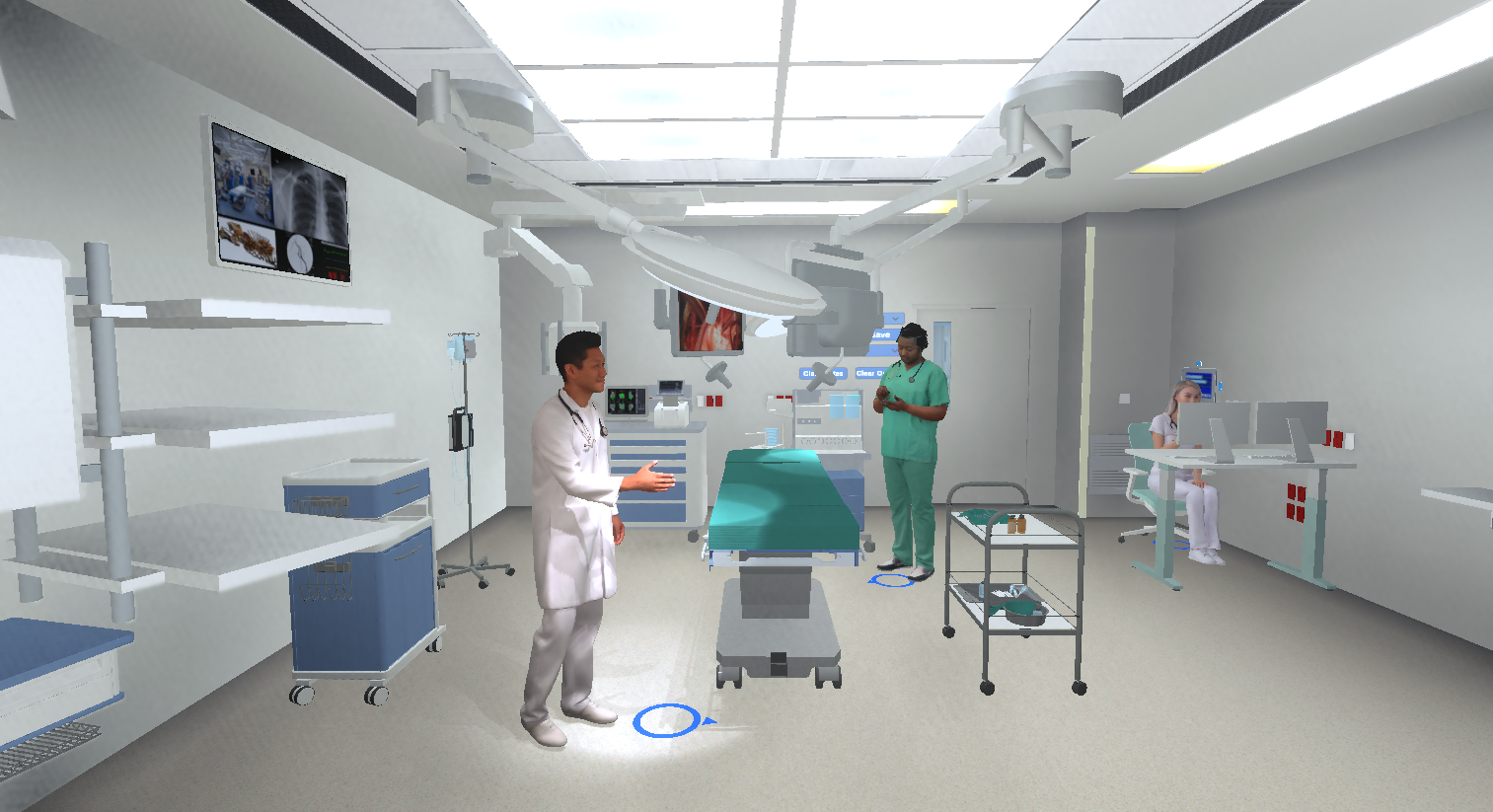
- Interactive virtual mock-up in a healthcare setting, where a user manipulates virtual OR equipment
- This is the environment that the user sees and interacts with during the session
The design of the interactive virtual mock-up was prompted by a specific need to enhance the design and collaboration process for complex spaces like operating rooms. Our team identified that traditional design methods, which rely heavily on 2D plans and physical mock-ups, often fall short in capturing the full spatial and functional dynamics of these environments. Additionally, complex medical equipment cannot always be realistically replicated in physical mock-ups. This realization came from feedback and requests from architects, designers and medical professionals who required a more interactive and immersive way to visualize and refine their designs collaboratively. VR enables doctors and nurses to experience the size, position and range of motion of equipment, which is otherwise difficult to achieve with physical mock-ups.
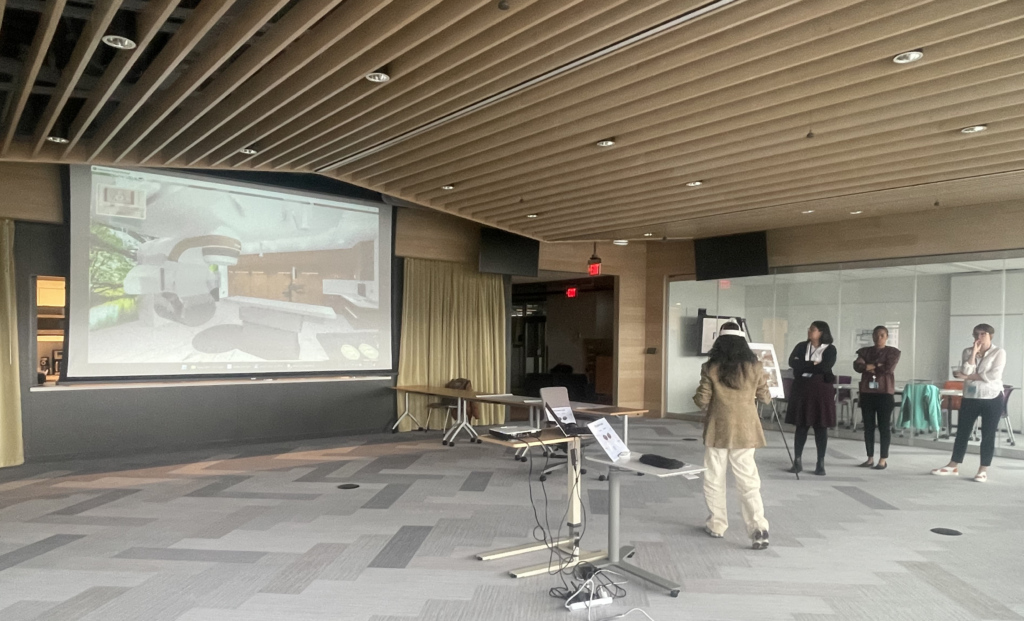
Demonstrating high-tech imaging equipment in virtual reality
The interactive virtual mock-up tool works in tandem with physical mock-ups, both of which have unique advantages that make them indispensable in the design process. VR models offer unparalleled interactivity, allowing users to manipulate complex equipment, test operational ranges and store multiple layouts. These capabilities are essential for fine-tuning designs and ensuring functionality in complex spaces. It also enables future users of the space to provide feedback that is crucial to developing the spatial design. Physical mock-ups remain invaluable for final validation and tactile assessment of materials and design.
While we have utilized VR in our design process for a while now, this new tool brings new opportunities to further enhance the design process. The size of specialized healthcare rooms presents a significant challenge when it comes to finding adequate space for traditional physical mock-ups. Manual methods can be limiting in this regard, making it difficult to accurately represent the scale and layout of such a large area. Interactive VR solves this problem easily, allowing for a comprehensive and immersive experience without the constraints of physical space.
In the case of our healthcare client, the design team had four key rooms they wanted to mock-up: an emergency department exam room, a prep and recovery room, a patient room and an operating room. They opted for a traditional cardboard mock-up for the first three room types. But, due to the complex equipment used in operating rooms, they wanted something robust that would provide users with more interaction capabilities.
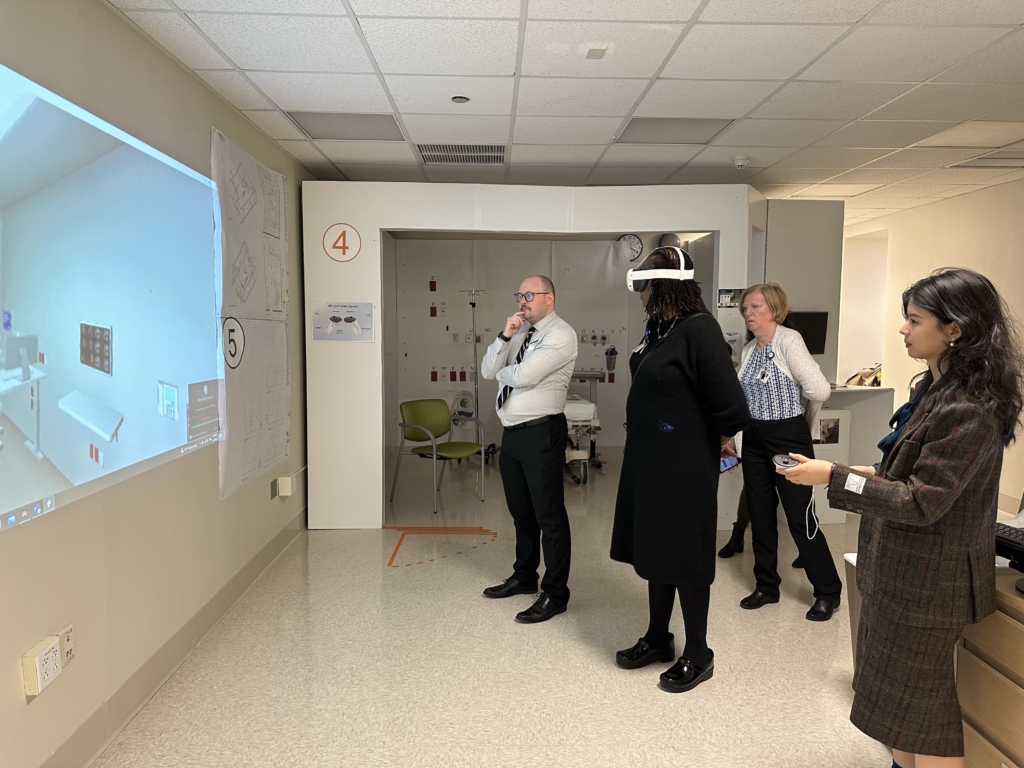
Users are able to “navigate” through mocked-up space designs using specialized headsets
The design team worked with our in-house Design Visualization team to bring the interactive virtual mock-up to life. The two groups introduced the tool to the client at a design development meeting, where end-users were invited to wear the VR goggles and use the handheld controls to move themselves around the operating room. Most users were familiar with the more traditional physical mock-ups, and at first were hesitant to try the VR tool. However, once they put the goggles on and had the opportunity to interact with equipment, they became more comfortable and exclamations of “this is cool!” were abundant. Even more beneficial to the team was the real-time feedback from the users about details in the room that needed to be tweaked.
Watch a user interact with the equipment and environment in real time
Benefits of the tool are numerous and include:
Enhanced Collaboration: Architects, designers and end-users work together in a virtual environment, facilitating better communication and understanding
Improved Design Accuracy: By visualizing spatial dynamics and operational workflows in VR, users can make more informed design decisions, reducing errors and inefficiencies.
Time and Cost Efficiency: Minimizes the need for multiple physical mock-ups for complex spaces, saving time and resources in the design iteration process.
Flexibility and Adaptability: The tool can quickly adapt to design changes, allowing for easy updates and refinements.
Complex Equipment Interaction: The tool enables the interactive testing of complex equipment, helping users understand operational scope and ensuring the design accommodates all necessary functionalities.
While the inaugural use of the interactive virtual mock-up was for a healthcare setting, we see significant potential for its use in all project and space types. The tool is particularly beneficial for projects that involve handling multiple or complex machines, understanding the scope of work, comparing different layouts, and facilitating design discussions. By providing a virtual environment to explore and refine designs, the tool helps save costs and improve efficiency, making it a valuable asset for any project with these needs.


An essay in brick. We’re thrilled to share that the Boston Children’s Hospital ambulatory surgical building in Needham, MA is officially open.
#designalways #artofmaking